
1. Introduction to the New Resources Center 0:00
-
Welcome to the new resources section on the Patter app platform.
-
This is an optional upgrade available for free to app subscribers.
2. Overview of Changes from Old to New Resources Center 0:11
-
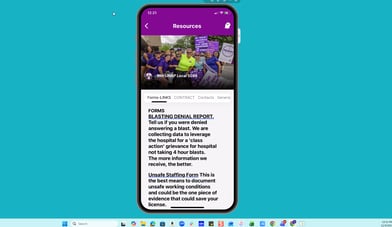
Old resources section had:
-
A cover photo
-
Four horizontal tabs
-
-
New Resources Center features:
-
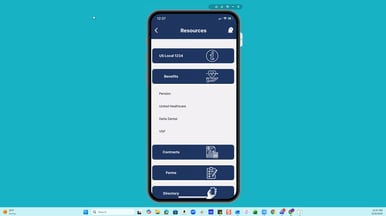
Unlimited vertical tabs or cards for better accessibility.
-
3. Customization Options for Cards 0:28
-
Cards are customizable and can be configured in various ways.
-
Each card can have its own image or icon.
4. Interaction with Cards 0:40
-
App followers can:
-
Tap on a card to open content within the app.
-
Tap to be directed to an external web page.
-
5. Menu of Options 0:59
-
Cards can open a menu of options:
-
Some options may exist within the app.
-
Others may be external links.
-
6. Supported Content Types 1:16
-
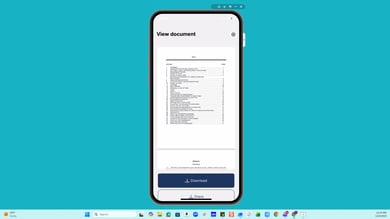
The new Resources Center supports:
-
PDF uploads
-
Images
-
Videos
- Links to email, URLs, phone numbers, and locations,
-
-
Content can be tag-protected for better audience targeting.
7. How to Upgrade to the New Resources Section 1:27
-
If you haven't updated yet, contact: appsupport@patter.com
-
Request to have the new Resources Center activated today!
- Once activated, your previous Resources' horizontal tabs will appear in the new format, and you can begin editing.
- Aside from your previous cover photo, you will NOT lose any content!
-
- Here's how to begin editing and creating new cards in the updated Resources Center.